 Certified Computer Repair & Service
Lake City, Florida
 • FREE DIAGNOSTICS
• Affordable
• Professional

Open daily until 5 pm ★ Same-day service available.
TECHNICIAN'S OFFICE:
☎ (386) 288-6263
ADDRESS:
523 N Marion Ave
Lake City, Florida 32055
Map & driving directions
BUSINESS OFFICE HOURS:
No appointment needed.
Mon - Fri, 9 AM - 5 PM
Saturday, 10 AM - 3 PM
⭐ We Specialize in...
- PC Tune-Up & optimization
- Laptop and Desktop service/repairs
- Virus & spyware removal
- Microsoft Windows installation
- Data backup and recovery
- PC upgrades
- Web design & hosting
Professional Computer Repair Technicians


Our passion is computer service & repairs.
Expert training, experience, and commitment to quality of personalized customer services provides you the very best of computer services & repairs.
We're Microsoft and CompTIA A+ dual certified with 20+ years professional hands-on technical experience. Certified Computer Service employs dual-certified expert IT Technicians that specialize in the servicing of Windows PC computer systems.
We specialize in desktop and laptop computer service & repairs, PC diagnostics, virus & spyware security management, PC hardware upgrades, software installation, custom PC design, home & small business networks, and data management solutions.
Our office is located in Lake City, proudly serving residents and business throughout Columbia County.
Microsoft Windows Services
We service computers will all Microsoft Windows editions.

PC Tune-Up & Optimization
Tune-Up & Optimization is the most popular professional computer services we perform on desktops and laptops.
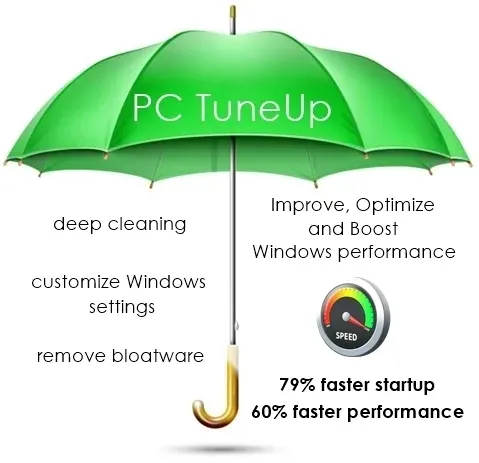
How fast? With our PC TuneUp, we configure your Windows for up to 79% quicker startup and a 60% faster work performance.
What's included? With this service we improve, optimize, and boost your computer's performance; customize your Windows settings; fixes common Windows issues; resolve Windows error messages & notifications; remove bloatware and junk programs; find and remove unwanted software; deep clean your hard drive; install and configure updates; and much more.
How long? The average time to complete the PC TuneUp Service is between 4 to 12 hours.
The PC TuneUp service includes our part & labor Warranty

Bring us your computer today...
your PC will be optimized by tomorrow!
Call us at (386) 288-6263
What's Included in the Tune Up?
Software Components
- Improve, optimize, and boost performace
- Stop unwanted pop-ups
- Repair Windows error messages
- Customize Windows settings
- Optimize boot-up and shut-down speeds
- Optimize web browser
- Install security updates and service packs
- Repair system files and folder errors
- Remove bloatware and junk programs
Hardware Components
- Diagnose hardware for proper functioning
- Diagnose memory and CPU usage
- Provide a written report and certification of all the above
Services to Community
We turn no one away due to inability to fully pay for Services. If you're struggling, have low income, are a school student, or simply having a 'bad' month with finaces, contact us. We'll work with you where you're at.
Computer Help Resources
The following documents were written by the professional staff at Computer Repair of Starke.
- Symptoms of Computer Spyware Infection
PDF document, a checklist of computer spyware and malware symptoms often experienced in infected desktop and laptop computers.
Open to preview, or download PDF file ⇲ - Symptoms of Computer Virus Infection
PDF document, a checklist of computer virus symptoms often experienced in infected desktop and laptop computers.
Open to preview, or download PDF file ⇲ - Computer Maintenance Checklist
PDF document, a checklist to maintain your computer system, designed for regular service and maintenance intervals.
Open to preview, or download PDF file ⇲ - Laptop Battery Care & Maintenance Tips
PDF document, a resource for laptop battery care with maintenance tips, includes detailed explanations for (1) new laptop battery break-in process and (2) maintaining your laptop battery.
Open to preview, or download PDF file ⇲